Streamlining Request for Information (RFI) Workflow
How I conducted discovery for the Request for Information workflow to reduce case backlog and improve efficiency at GROW.
At GROW, I led this discovery to enhance the Request for Information (RFI) workflow within the Superannuation Administration Platform (DLTA).
The goal was to understand how solicitor requests for member insurance details were handled, uncover friction points, and identify opportunities to reduce backlog.
My role
Product Designer
Deliverables
Discovery insights
User flow
Outcomes
Mapped the end-to-end RFI workflow and revealed key friction points affecting efficiency.
Identified four major experience gaps that guided the next phase of automation design.
Helped the AI and Automation team refocus from task-level automation to a more holistic workflow approach.
The problem
Processing a Request for Information (RFI) currently takes around 45 minutes due to heavy manual work. Admins need to interpret requests, find the right data, and copy information between several systems.
At the time of this research:
There were 616 backlog cases
The team received 15 to 20 new cases each day
The SLA was 5 business days
Understanding the issue
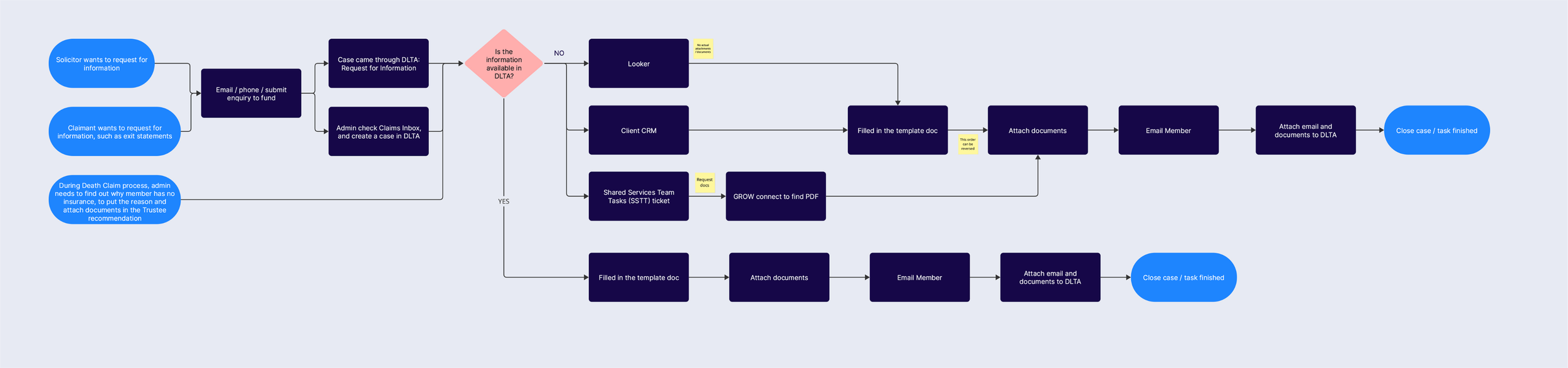
To process each request, admins need to:
Interpret solicitor emails, often spread across multiple threads and attachments
Create a new case in DLTA
Retrieve data from several systems, with historical data taking longer to extract
Manually copy information into an RFI letter template
Add password protection manually
Upload emails and attachments one by one into DLTA Activity Notes
Why this is important
Because each request takes so long to complete, the team is constantly under pressure to meet the SLA. As new requests come in faster than they can be cleared, the backlog continues to grow.
The current process is not only time consuming but also unsustainable at scale. Without improving efficiency, the team risks missing SLAs and facing a growing backlog that impacts service quality for the clients.


Research approach
To understand the full experience, I:
Observed administrators processing real RFI requests
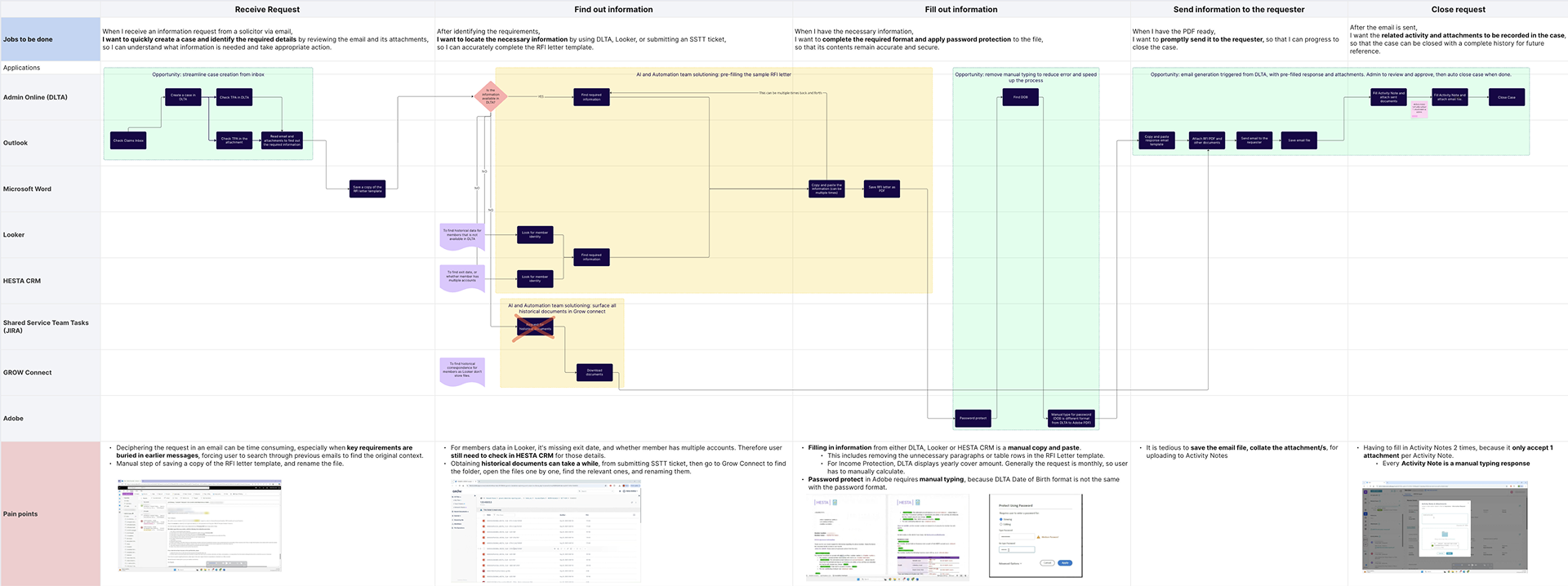
Mapped current workflows using journey maps and swimlanes
Interviewed automation engineers to understand technical challenges
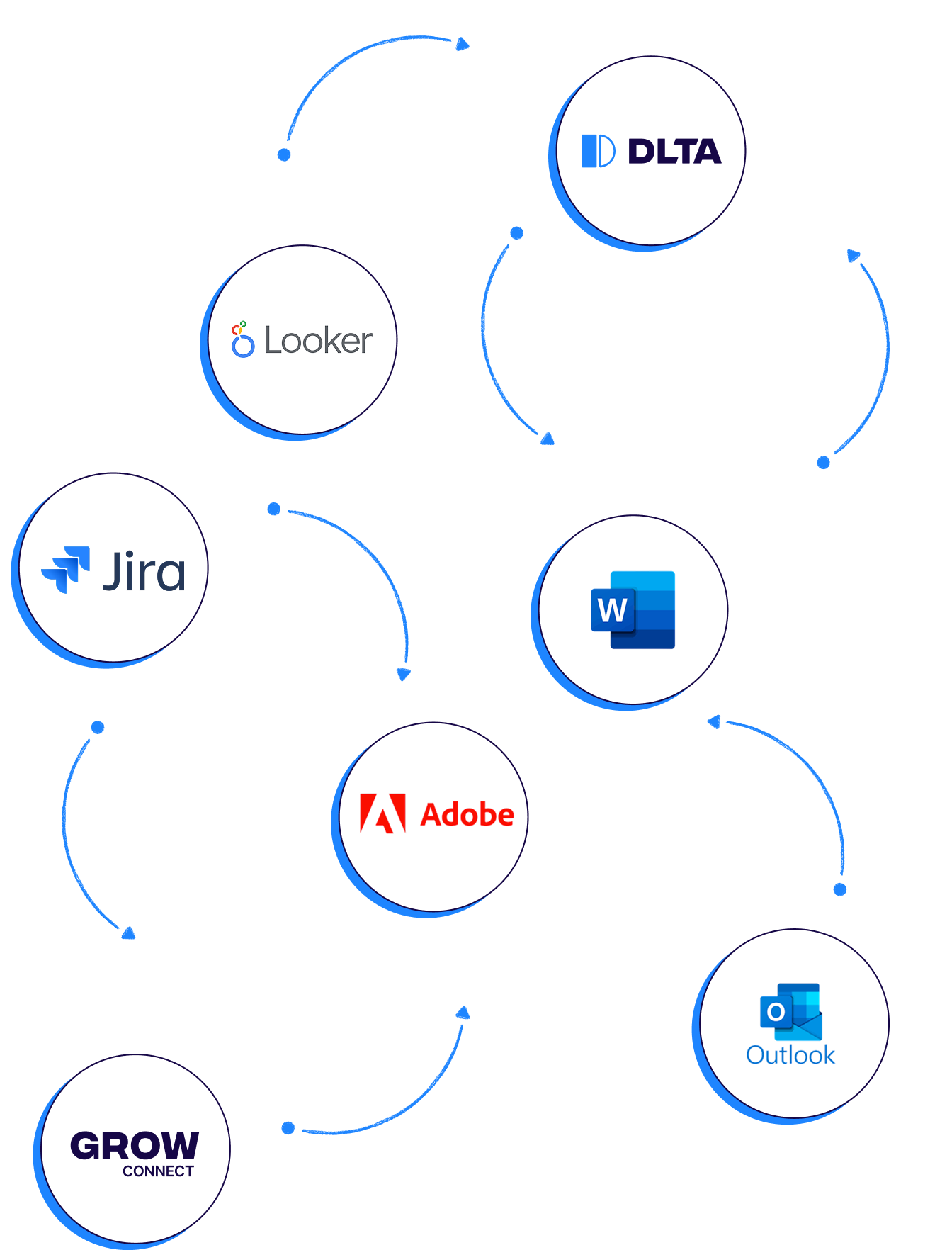
Documented system dependencies across DLTA, Outlook, Looker, FileCloud, Adobe, Jira, and the CRM
This resulted in a detailed User Flow Map that showed key friction points in the current process.
Key Findings
What’s currently in the work
The AI & Automation team was already working on:
Pre-filling RFI letters through bulk processing
Making historical files from S3 bucket more accessible
However, they faced technical limitations that prevented full automation.
These challenges revealed four main experience gaps and opportunities for further improvement.
GAP 1
Manual Case Creation
Requests arrive in Outlook and are manually entered into DLTA.
Admins must read through multiple email threads and attachments to find the requirements.
OPPORTUNITY
Automate case creation directly from the inbox using AI to interpret emails.


GAP 2
Partial automation creates new friction
Pre-filled RFI letters are often incomplete, so admins need to cross-check data across multiple systems.
Historical files surfaced through FileCloud are not easily searchable.
OPPORTUNITY
Map the new end-to-end process to highlight what is automated and what is still manual. Test the process with admins to identify remaining pain points early.
GAP 3
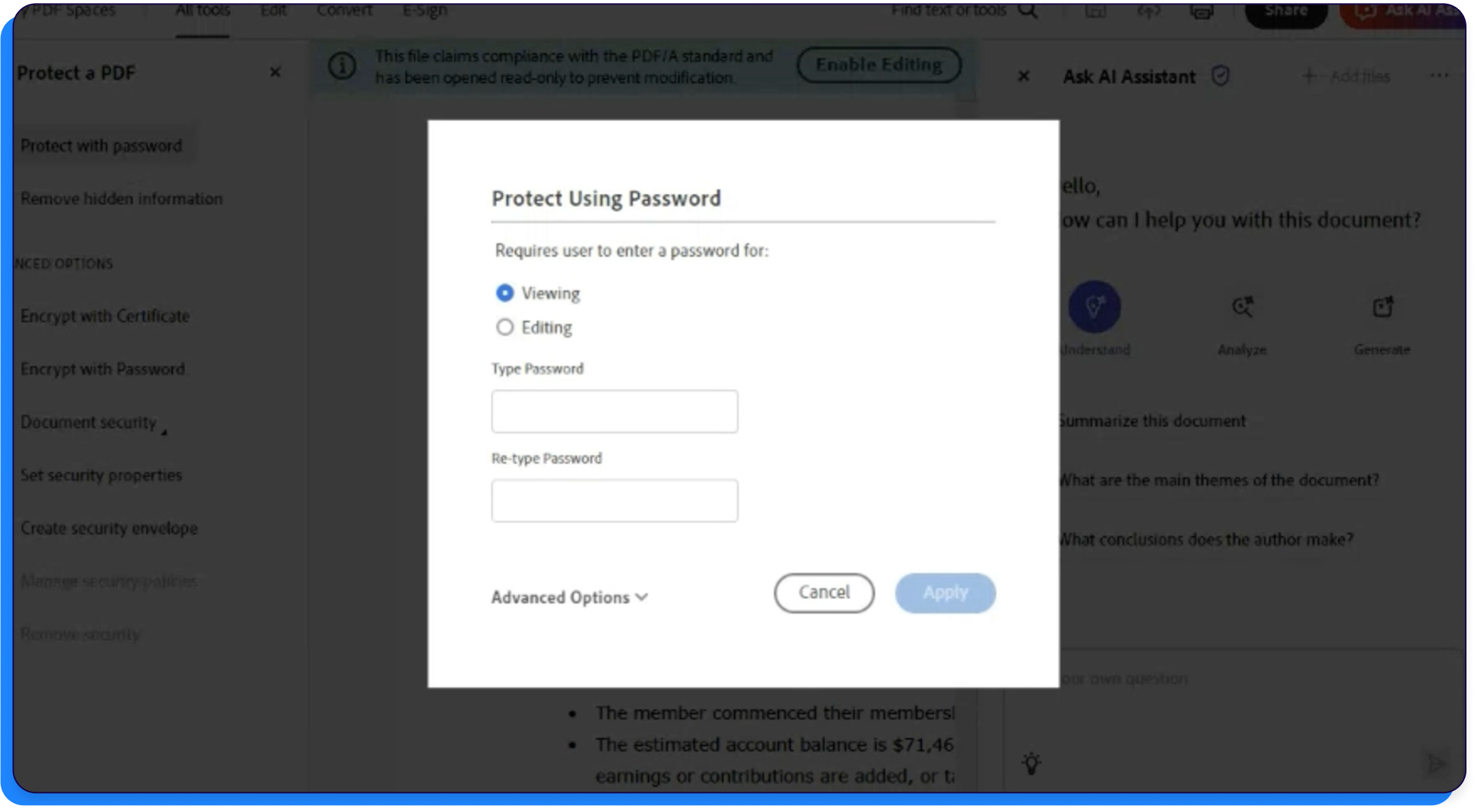
Manual password protection
Back and forth between DLTA and Adobe to set up password is a tedious process.
Passwords are typed manually, which is prone to error.
OPPORTUNITY
Enable automatic password creation for bulk processing.
GAP 4
Manual activity logging
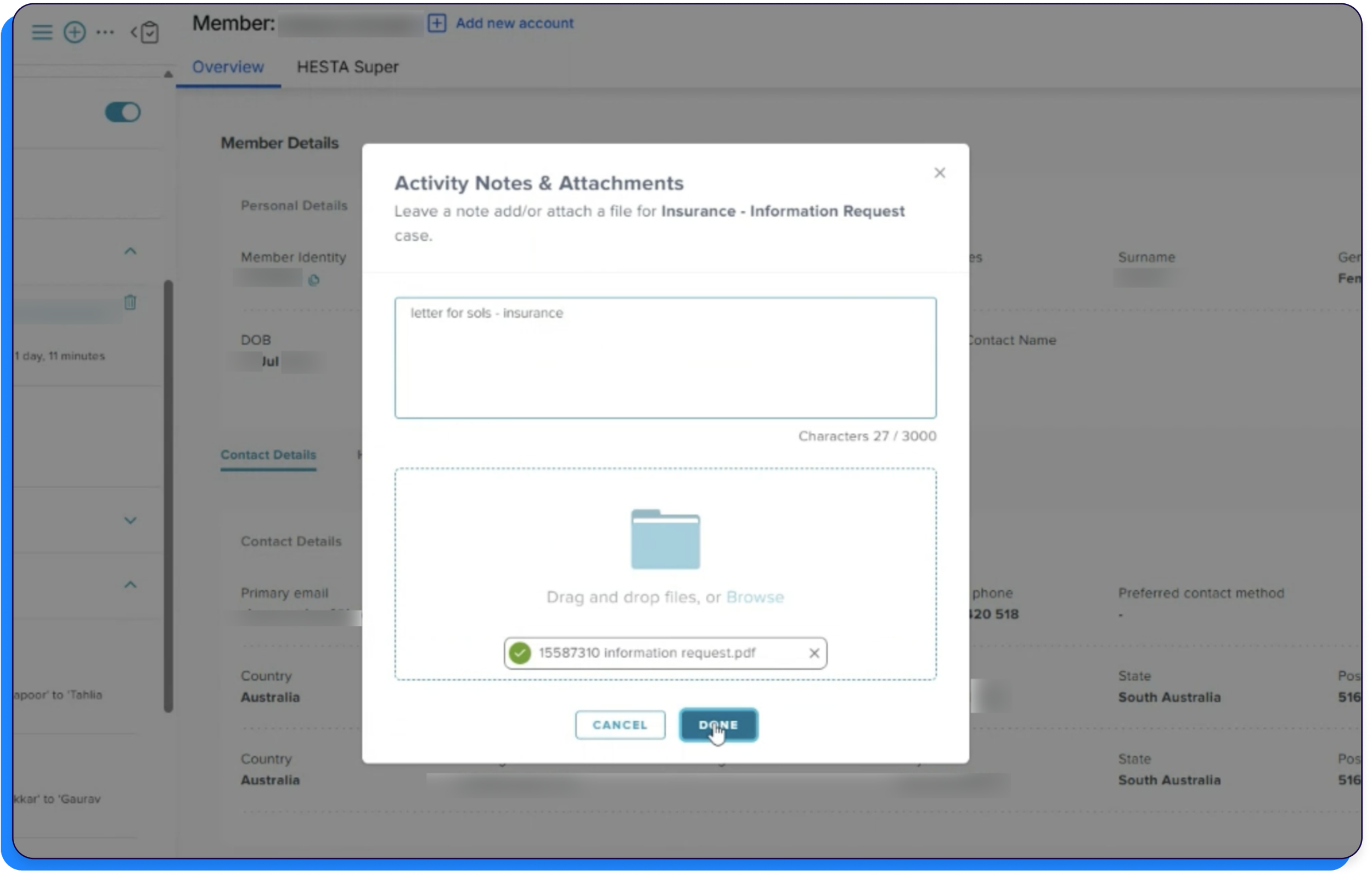
Activity Notes in DLTA require manual typing, even for repetitive responses.
Each attachment must be uploaded separately due to DLTA inability to accept multiple attachments.
OPPORTUNITY
Allow multiple file uploads and introduce autofill suggestions for Activity Notes.
Next Steps
Work closely with the AI and Automation team to track progress and include design insights in each phase.
Use a phased approach to ensure each stage of automation is supported by thoughtful user experience design.
This will help move towards a fully automated and seamless workflow.


Learnings
This project reminded me that AI and automation do not transform a workflow overnight. They happen in steps, and each stage brings its own challenges for the people using it.
I realised how important it is for design to stay involved throughout this journey. As automation evolves, new frictions can appear in unexpected places, and if we do not consider the user experience at each stage, the technology can end up creating new problems instead of solving them.
Design discovery plays a key role here. It helps uncover where users might struggle during phased automation and ensures that every improvement feels seamless, not disruptive.